Creative Studio: Every Marketing Asset Your Business Needs — Already On-Brand
ThemeSmith Creative Studio generates branded marketing assets — social media graphics, print materials, infographics, and more — directly from your site's Design DNA. No brand kit setup, no templates, no design skills required.
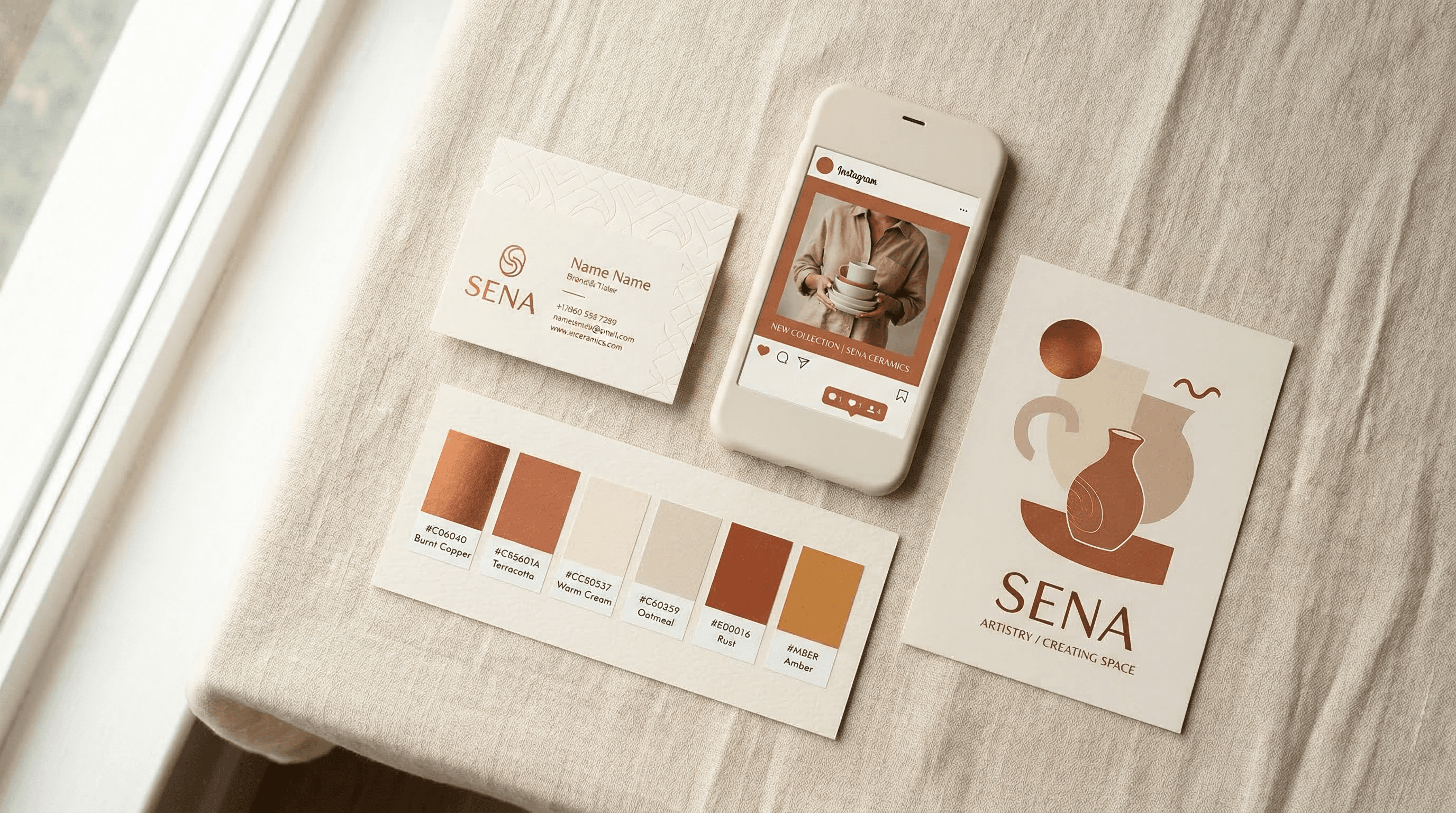
Every business eventually faces the same creative bottleneck. You have a website that looks professional, but the moment you need a social media graphic, a flyer, or an email header, you are starting from scratch. You open Canva, pick a template that looks vaguely right, manually enter your brand colours, upload your logo, adjust the fonts, and hope the result feels consistent with your website. Multiply that by every platform, every campaign, every season — and the hours add up fast.
ThemeSmith Creative Studio takes a fundamentally different approach. Because ThemeSmith already understands your brand — your colour palette, typography, tone of voice, and visual style are encoded in your site's Design DNA — it can generate marketing assets that are on-brand from the first pixel. No brand kit setup. No manual configuration. No templates to customise.
Zero setup is the point
The single biggest difference between Creative Studio and tools like Canva or Adobe Express is what happens before you create your first asset. With traditional design tools, you spend time building a brand kit: uploading logos, entering hex codes, selecting fonts, defining colour combinations. Then you repeat that setup for every team member, every device, every new tool you adopt. And even after all that configuration, brand consistency is still your responsibility. The tool gives you the ingredients; assembling them correctly is on you.
Creative Studio inherits your brand identity automatically from your ThemeSmith site. Your colours, fonts, spacing rhythm, and visual personality are already defined in your Design DNA — the same system that generated your website. When you ask for a social media graphic or a business card, the studio reads that DNA and produces something that genuinely looks like it belongs to your brand. Not approximately. Not close enough. Actually on-brand, because it is working from the same source of truth as your website.
AI-generated, not templated
Template libraries are the backbone of every traditional design tool. The problem is that templates are generic by design. A “Restaurant Social Media Pack” looks identical whether you run a fine-dining establishment or a beachside taco stand. You can swap colours and fonts, but the underlying layout, composition, and visual language remain the same.
Creative Studio generates every asset from scratch using AI. Each graphic is unique to your business, your industry, and your brand identity. A boutique hotel gets compositions that feel editorial and spacious. A fitness studio gets layouts that feel energetic and bold. A law firm gets designs that communicate authority and precision. The AI understands the visual conventions of your industry and applies them through the lens of your specific brand.
What you can create
Creative Studio covers eight capability areas, organised around how businesses actually use marketing assets rather than around file formats or technical specifications.
Social media. Nine platform-specific formats — Instagram posts, Stories, and Carousels; Facebook posts and covers; LinkedIn; X/Twitter; Pinterest; YouTube thumbnails; and TikTok covers. Each format is sized correctly for its platform, and the batch campaign mode lets you generate a single campaign concept across every platform simultaneously. One brief, nine platform-ready assets.
Marketing and advertising. Facebook and Instagram ad creatives, Google Display ads in all standard sizes from a single brief, email headers, promotional flyers, event posters, coupons and vouchers, and loyalty cards. The advertising formats are particularly useful because Google Display requires multiple size variants — Creative Studio produces all of them at once, maintaining visual consistency across every dimension.
Infographics.“How it works” flowcharts, process maps, feature comparisons, before-and-after graphics, USP diagrams, data visualisations, timelines, pricing comparisons, FAQ visuals, and checklists. These are the assets that typically require a graphic designer and hours of back-and-forth — Creative Studio generates them in seconds, already styled to match your site.
Menus and price lists. Restaurant menus, daily specials boards, drinks lists, service price lists, package comparisons, and rate cards. This category appears automatically for businesses in relevant industries — a SaaS company will not see menu options cluttering their workspace. That industry awareness runs throughout the product.
Logo studio. Logo design and refinement, logo variations for different contexts (dark backgrounds, small sizes, monochrome), favicon and app icon generation, watermarks, and comprehensive brand kit exports. If you arrive at ThemeSmith without a logo, the studio can create one. If you have one, it can generate the variations you need for consistent use across platforms.
Print and stationery. Business cards (front and back, with contact details auto-filled from your site), letterhead, thank-you cards, postcards, gift certificates, appointment cards, door hangers, and stickers. Every print asset is generated at 4K resolution, ready for professional printing without upscaling or quality loss.
Website assets. Hero images, section backgrounds, icon sets (four to eight consistent icons generated as a set), patterns and textures, testimonial cards, team member backgrounds, CTA graphics, and blog headers. These integrate directly back into your ThemeSmith site — no downloading, re-uploading, or manual placement required.
Enhancement lab.Scene staging places your product into a professional setting. Brand alignment colour-grades your existing photography to match your site's palette. Background swap, banner extension, style transfer, photo enhancement, and seasonal variants round out a set of tools that transform existing imagery rather than generating from nothing. This is where Creative Studio bridges the gap between AI generation and practical photo editing.
How it compares
The comparison with existing design tools comes down to where the work happens. With Canva and Adobe Express, you are the consistency engine. The tool provides templates and a brand kit feature, but maintaining visual coherence across dozens of assets, formats, and campaigns is a manual discipline. It works well if you have a dedicated designer. For a small business owner fitting marketing into the gaps between running the actual business, consistency is the first thing to slip.
Creative Studio moves brand consistency from a human responsibility to a system guarantee. Every asset reads from your Design DNA, so the colours, typography, spacing, and visual tone are enforced automatically. You cannot accidentally use the wrong shade of blue or a font that is not in your brand kit, because the system does not offer you off-brand options to begin with.
The other gap is website integration. Traditional design tools produce standalone files. You create a social media graphic in Canva, download it, upload it to your scheduling tool, and hope it matches the look of your website. Creative Studio produces assets that are native to your web presence because they share the same design foundation. Website assets can be placed directly into your site. Social graphics reference the same visual language as your pages. Everything comes from one source.
The conversational interface
Creative Studio is available through the ThemeSmith dashboard as a dedicated workspace, but it is also accessible through Forge, the conversational interface that manages your entire site. You can ask Forge to create a set of social media graphics for a spring promotion, generate business cards with your updated phone number, or produce Google Display ads for a new service — all through natural language. Five dedicated tools within Forge handle asset generation, editing, batch campaigns, enhancement, and logo work.
This matters because marketing assets rarely exist in isolation. You might be updating your site's services page and realise you need matching social graphics and a flyer. In a traditional workflow, that means switching to a different application, re-entering context, and manually ensuring consistency. In ThemeSmith, you stay in the same conversation. The context carries forward, the brand identity is already loaded, and the assets arrive ready to use.
Credit-based pricing
Creative Studio uses the same credit system as the rest of ThemeSmith. Standard-quality assets cost three credits. High-quality assets — suitable for digital campaigns and presentations — cost five. Print-ready assets at 4K resolution cost eight. Editing or refining an existing asset costs two credits. There are no separate subscriptions, no per-seat charges, and no export fees. You use the credits already included in your ThemeSmith plan.
Who this is for
Creative Studio is built for business owners who need professional marketing materials but do not have a designer on staff. If you have ever spent an hour wrestling with a Canva template only to produce something that does not quite match your website, this is the alternative. If you have ever delayed a social media campaign because creating the graphics felt like too much work, this removes that friction.
It is also valuable for businesses that already invest in marketing but want more consistency. Running Facebook ads, posting on Instagram, printing business cards, and updating your website with four different tools inevitably introduces visual drift. Creative Studio eliminates that drift by generating everything from the same brand foundation.
The underlying philosophy is straightforward: your brand identity should be defined once and applied everywhere, automatically. Creative Studio is the mechanism that makes that possible — not just for your website, but for every visual touchpoint your business has with the world.
To see how Design DNA powers both your website and your marketing assets, explore brand identity on ThemeSmith or learn how the platform works.